


Car Driving School : Car Games
3.91.17K Reviews
App Specs
- Version
- 2.72
- Updated On
- License
- Free
- Downloads
- 100,000,000+
- Developer
- Spark Game Studios
- Categories
- Strategy
- Platform
- Android
Screenshots
 Analysis by AppCompare
I think Car Driving School: Car Games makes the most sense as a casual, shared-device game: one person can practise careful driving, then hand the phone to someone else for a turn. That kind of use suits its mix of rules, parking and open-ended driving better than treating it as a serious lesson plan. It is a free strategy game from Spark Game Studios, with a Teen age rating, and the appeal is in learning to handle virtual situations at your own pace.
A short session that works around the household
Picture a quiet stretch of time at home: I have a few minutes, pick a driving challenge, and pass the device along when someone else wants to try. The game can give that small break a clear purpose, since traffic signals and parking demand more attention than simply holding the accelerator. A younger or less experienced player may enjoy the feeling of practising, while an experienced driver can treat it as a relaxed test of patience and coordination.
For shared use, I would keep expectations simple. A turn can be about exploring, or it can be about trying to complete a task neatly; it does not need to become a competition. If someone is waiting, agreeing on a short turn before starting avoids the familiar problem of one player settling in while another is ready to use the phone. The game’s different ways to drive also give people a natural reason to compare preferences without requiring everyone to play the same way.
Set expectations before handing over the phone
Because this is a game rather than a driving course, I would describe it as a playful introduction to road-related ideas, not a substitute for instruction or supervised practice. A child can learn to notice signals and think about positioning, but the virtual setting cannot prepare them for the judgement, responsibility or unpredictable hazards of real traffic. That distinction matters most when a player starts treating a good in-game run as proof that they are ready to drive.
On a shared device, it is also worth deciding who is using the game and who is managing the device itself. I would not assume that a game automatically provides household profiles or separate progress boundaries; if several people take turns, they should agree on whether each person is continuing the same play or simply experimenting. This small conversation can prevent accidental changes to a session and makes it easier to keep a younger player’s expectations realistic.
How to make turns feel fair and useful
One useful approach is to let each player choose a different goal for a session. One person might focus on obeying lights, another on making a careful parking attempt, and a third might simply explore. That makes the handoff more interesting than repeating the same drive, and it gives players a concrete way to talk about what felt difficult. I would also try the control options early rather than waiting until a demanding manoeuvre: switching from tilt to a wheel or arrows can change the feel of steering considerably.
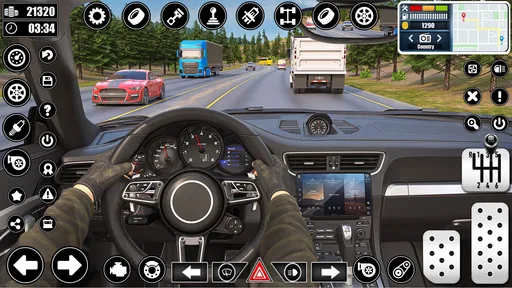
Camera choice can be treated as a practical tool, not just a visual preference. When judging the space around a car, a different angle may help a player understand why a parking attempt went wrong. I would pause after a mistake and retry the same manoeuvre rather than immediately changing cars or modes; repeating one small task makes it easier to tell whether the issue was steering, timing or simply unfamiliar controls. That is a more useful way to play than chasing a perfect run on the first attempt.
Worth Reading Before You Choose

Baby Panda World Brings Quick Play to Modern Phones, but Its Game Library Feels Busy

ESPN’s Live Game View Makes Following Close Games Easier

QuizzLand Review: A Good Fit for Short Trivia Breaks, Not Every Player

Basketball Stars: Multiplayer Is Fast, but Can It Recover When Matches Go Wrong?

WEBTOON Turns Phone Updates Into a Better Reading Routine

Link to Windows Runs on Shared Habits, Not Social Feeds
Age, trust and the limits of a virtual lesson
The Teen rating is a sensible detail for households to consider before handing the game to a younger player. The driving-school theme sounds educational, but I would still treat the game as entertainment with useful rule-based moments, not as an authority on local road laws. Parents or caregivers can use a session as a conversation starter—asking why a player waited at a light or how they approached a parking space—without suggesting that the game replaces a real instructor.
Car Driving School: Car Games has a 3.9 average from around 303,000 ratings, and it has reached over 100 million installs. Those figures suggest that plenty of people have tried it, but they do not tell me whether its style suits a particular household. I would pay more attention to whether the player enjoys deliberate manoeuvres and learning controls. Someone who only wants fast races may find the emphasis on rules and careful driving slow.
Getting Behind the Virtual Wheel
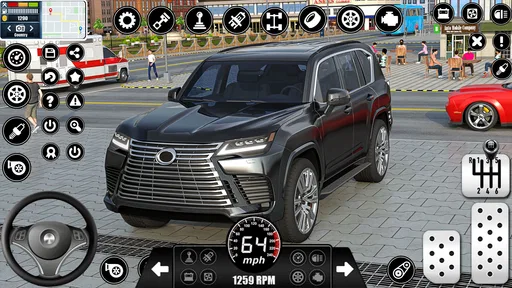
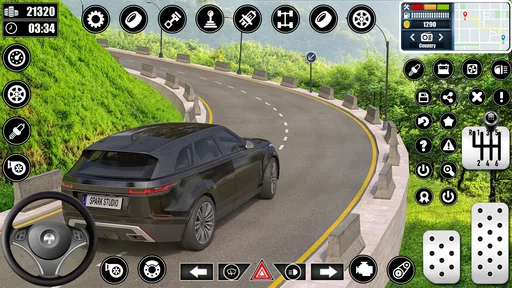
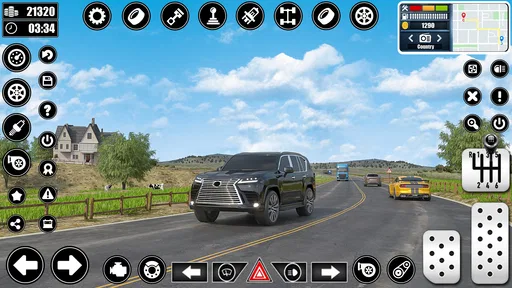
From the moment you fire up Car Driving School: Car Games, you're welcomed with a sleek interface that promises a realistic driving experience. The graphics are surprisingly good for a mobile game, and they do a great job of mimicking real-world driving conditions. You start off with a basic car, and as you advance, you unlock a whole fleet of vehicles to test your skills.
Learning the Ropes
The game does an excellent job of turning learning into fun. It’s not just about speeding down highways; it's about mastering the nuances of driving. Think of it as a driving school, but way more entertaining. You’ll be navigating through various cityscapes, each with its own set of challenges, from bustling traffic to tricky parking spots.
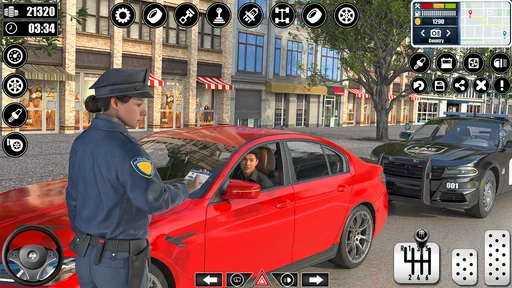
What I really liked was the way the app integrates real-life driving rules. You need to obey traffic lights, yield when necessary, and even park properly. It’s like a digital driving instructor that doesn’t yell at you for making a mistake!
The Real Deal: Gameplay
Now, let’s talk gameplay. The controls are intuitive, with options to choose between tilt, wheel, or arrow controls. Personally, I found the wheel controls to be the most immersive, but hey, to each their own. The game also offers different camera angles, which can be a lifesaver when you’re trying to execute a perfect parallel park.
There are different modes to explore, such as free drive and career mode. Career mode is where you’ll spend most of your time, honing your skills through a variety of missions. As you progress, the challenges get tougher, but that’s what keeps it exciting, right?
Revving Up the Features
One of the standout features is the dynamic weather system. You’ll find yourself adjusting your driving style to accommodate rain or shine, adding an extra layer of realism. Plus, the game’s sound effects, from the engine roar to the honking horns, really pull you into the experience.
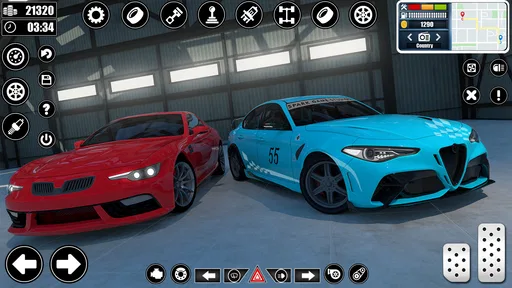
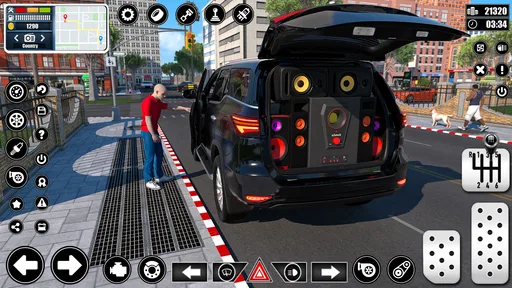
Customization is another strong point. You can upgrade and personalize your cars, making them as flashy or as subtle as you like. It’s a cool way to express your style and improve your car's performance.
Challenges and Competitions
If you’re feeling competitive, there are online leaderboards where you can see how you stack up against other players. It’s a neat feature that adds a social element to the game. Plus, the regular events and challenges keep things fresh and engaging.
Making Sense of the Purchase Options
The game is free to start, while optional in-app purchases range from $1.99 to $36.99 per item. In a household where a child shares a device, I would make sure the person responsible for purchases understands that optional items can cost real money. The safest habit is to discuss purchases before anyone taps through a prompt, rather than assuming that a free download means every part of the experience is free.
If you are wondering whether it is worth trying without spending, I would begin with the driving and missions already available to you, then decide whether extra customization or progression is important. Paying is not automatically necessary just because the game offers purchases. For a casual player who mainly wants to practise controls or enjoy a few challenges, the free starting point may be enough; a player who wants every optional extra should consider the costs carefully.
Where it fits among driving games
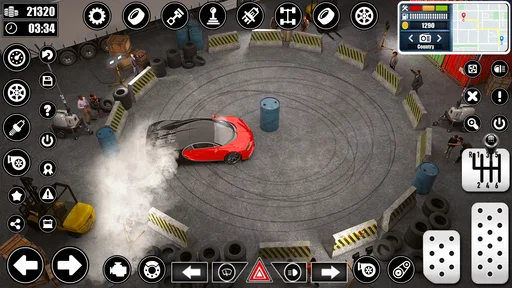
Compared with arcade racers, this game is less about drifting, speed and winning a race, and more about completing driving tasks with care. That makes it a better fit for someone curious about road rules or parking than for a player looking for constant action. Compared with a dedicated driving simulator, it is more approachable as a mobile game, but I would not use it to judge how a real vehicle handles. Its value lies in the approachable practice loop, not professional realism.
The version is 2.67, and the minimum operating system is 7.1. If you are choosing it for an older phone or tablet, check that the device meets that requirement before planning a shared session. A game that is meant to be passed around is only convenient if it runs on the device everyone actually uses. It is also sensible to try a brief session first and see whether the screen, controls and pace work for the intended player.
Final Thoughts
In a nutshell, Car Driving School: Car Games is a fun and educational way to experience the thrills of driving without the risks. Whether you’re a seasoned driver looking to polish your skills or a newbie wanting to learn the ropes, this game is a fantastic choice.
The blend of realistic mechanics, engaging gameplay, and the sheer variety of challenges keeps it from getting monotonous. So, if you’re ready to hit the virtual road, give this app a spin. It’s a wild ride you won’t regret!
My recommendation is strongest for households that want a relaxed game people can take turns exploring, especially if they enjoy parking and rule-based challenges more than racing. I would skip it for someone who wants a highly competitive racer or expects a substitute for real driving lessons. For the right player, a short session can be enjoyable and give everyone something specific to practise; just keep purchase decisions, device sharing and the difference between virtual and real driving clear.
Pros
- Realistic driving physics enhance gameplay.
- Variety of vehicles to choose from.
- Multiple environments for diverse experiences.
- Frequent updates with new features.
- User-friendly interface with intuitive controls.
Cons
- In-app purchases can be costly.
- Some levels feel repetitive.
- Occasional performance lags on older devices.
- Ads can interrupt gameplay.
- Limited customization options for vehicles.
FAQs for Car Driving School : Car Games
What is Car Driving School: Car Games about?
Car Driving School: Car Games is a realistic driving simulation app that focuses on teaching users the fundamentals of driving. It features a variety of vehicles and environments, allowing players to practice parking, obeying traffic rules, and navigating different road conditions. It's designed to enhance driving skills in a fun and engaging way.
Is Car Driving School: Car Games suitable for beginners?
Yes, the game is perfect for beginners. It provides a comprehensive tutorial mode that walks players through the basics of driving. With step-by-step guidance, users can learn essential skills such as steering, braking, and observing traffic signals, making it an excellent choice for those new to driving games or real-world driving.
What platforms is Car Driving School: Car Games available on?
Car Driving School: Car Games is available for both Android and iOS devices. Users can download the app from Google Play Store for Android devices and the Apple App Store for iOS devices. Ensure your device meets the app's compatibility requirements for optimal performance.
Does Car Driving School: Car Games require an internet connection?
While Car Driving School: Car Games can be played offline, some features, such as leaderboards and updates, require an internet connection. Playing online also allows you to access additional content and events. However, the core gameplay experience is fully accessible offline, making it convenient for users without constant internet access.
Are there in-app purchases in Car Driving School: Car Games?
Yes, the app offers in-app purchases. These can include additional vehicles, customization options, and various gameplay features. While the game is free to download and play, these purchases can enhance the gaming experience. However, they are optional, and players can enjoy the game without spending money.


